
Coax for Maintenance & HVAC
Using ServiceM8, simPRO, or Service Titan? Want to make and receive calls without leaving your tab? Look no further.



 +
+Never leave your tab
Coax integrates with ServiceM8, simPRO, and Service Titan so you can make and receive calls, send messages, and manage customer communications without switching apps or opening another browser tab.
ServiceM8 in action
Message direct from inside ServiceM8
Right-click on any phone number inside a ServiceM8 job and you can call, send a message, or open Coax with the full communication history, quote, job, and invoice history with that customer.
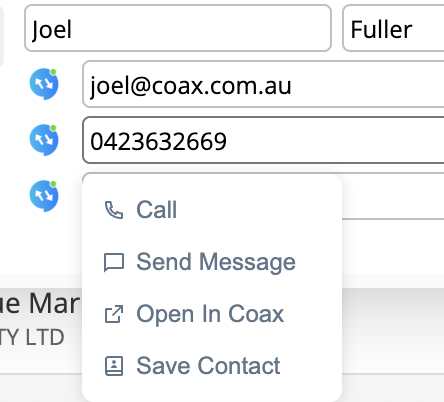
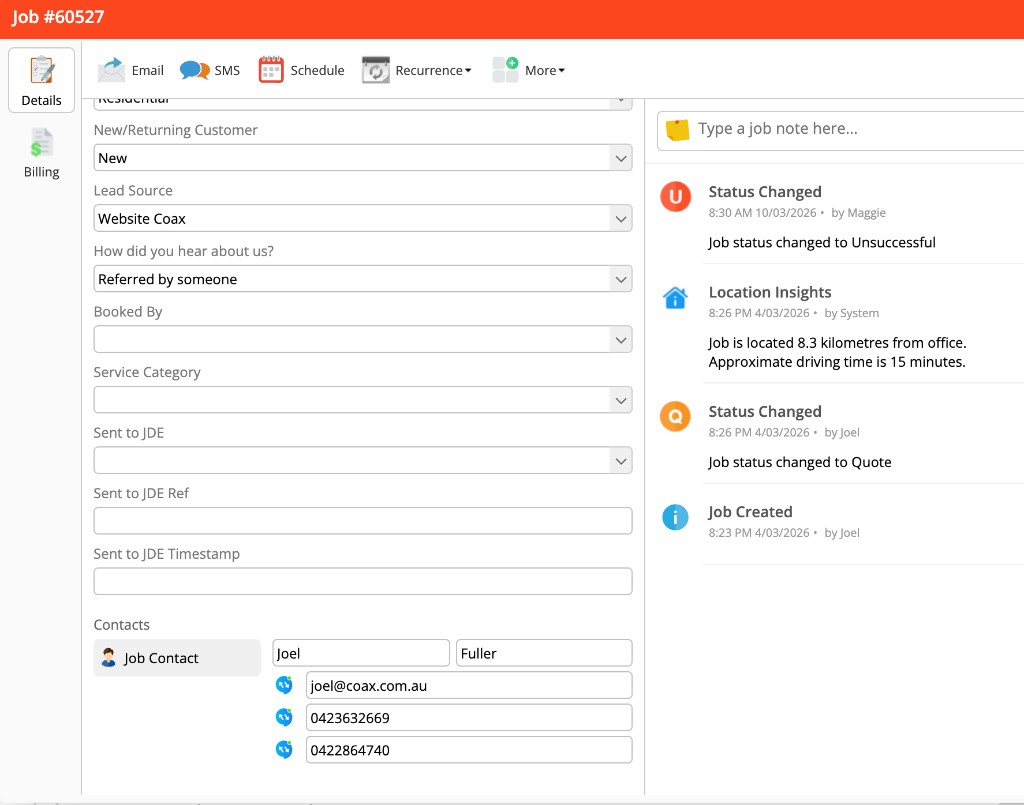
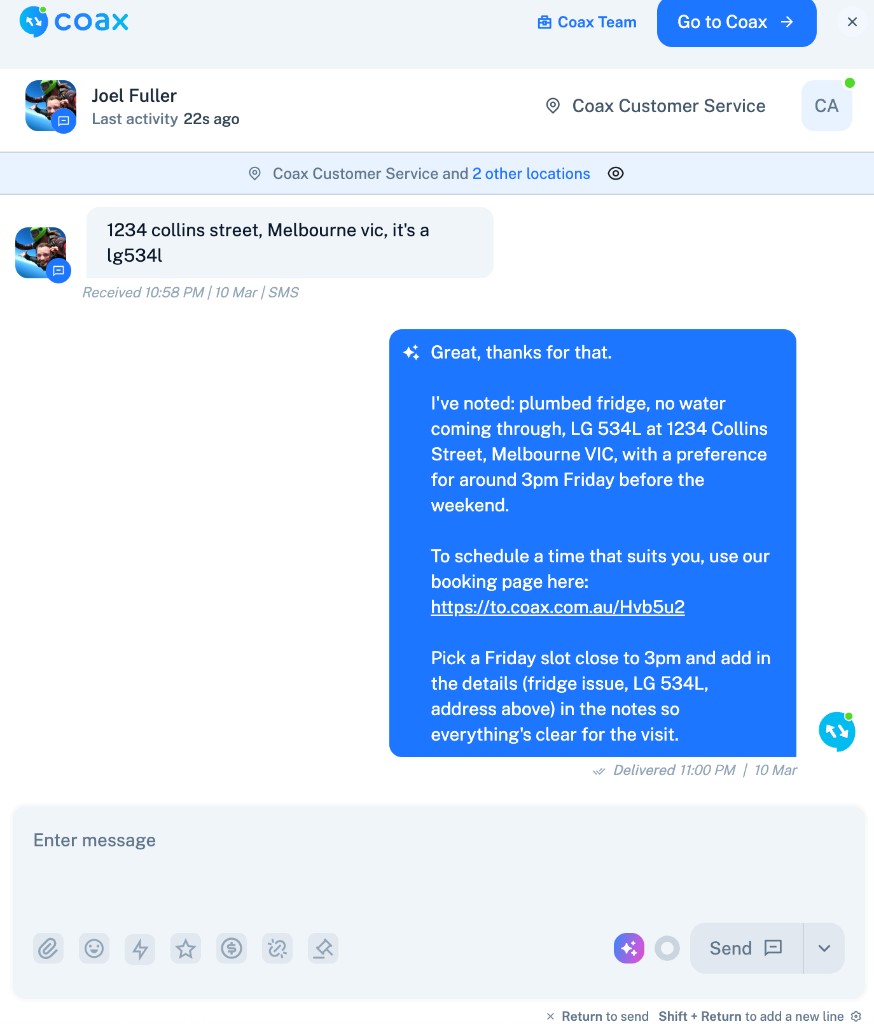
- Right-click any number in ServiceM8 to call, message, or open in Coax
- Full communication history with the customer in one click
- Quote, job, and invoice history all visible inside Coax
- AI assistant handles the response and books the appointment
Call intelligence
What's important to you, at the time of the call
Coax shows you what matters the moment a call comes in. Existing booking, open job, potential reason for the call - all visible before you answer.
Incoming call
(02) 8912 4455
Customer
Karen Peters
Address
42 Banksia Ave, Penrith
Last service
12 Jan 2026
Open job
Ducted AC repair - tech scheduled for Thursday
AI summary
Karen likely calling about her ducted AC repair. Technician is booked for Thursday AM. She previously asked about a time window.
Quick link
Open job card in ServiceM8 →Customer at a glance
The moment a call comes in, Coax shows you the customer's name, address, service history, and any open jobs.
Existing booking or job
See if they have an active booking or open job. Know the potential reason for the call before you pick up.
Link to job and job card
Jump straight to the job card in your platform with one click. No searching, no switching tabs.
Every channel, one thread
All channels at your fingertips
Phone, SMS, email, WhatsApp, DMs, chat widget, contact forms, and Google Reviews - all in one conversation per customer.
- Every customer gets one thread across all channels
- Switch between SMS, email, and phone without losing context
- Full conversation history per customer, not per channel
- Link to job and job card all without lifting a finger
Coax AI Assistant
Your AI assistant can walk the prospect through any scenario
New lead? Your AI assistant finds the issue, advises the service solution, gets their availability, checks tech availability, books them in, and sends the confirmation. All without lifting a finger.
New lead workflow - fully automated
- 1Find the issue - AI asks the right questions to identify the problem
- 2Advise the service solution based on your configured responses
- 3Get the customer's availability
- 4Check technician availability in real time
- 5Book them in and assign the right tech
- 6Send appointment confirmation automatically
- AI handles new leads from first contact to booked appointment
- Existing customers get instant context-aware responses
- Your team only steps in when they choose to
- Works across every channel - phone, SMS, email, chat, and DMs
Ready to supercharge your field service?
Connect Coax to ServiceM8, simPRO, or Service Titan and start communicating with your customers across every channel today.
See what else Coax has to offer here →